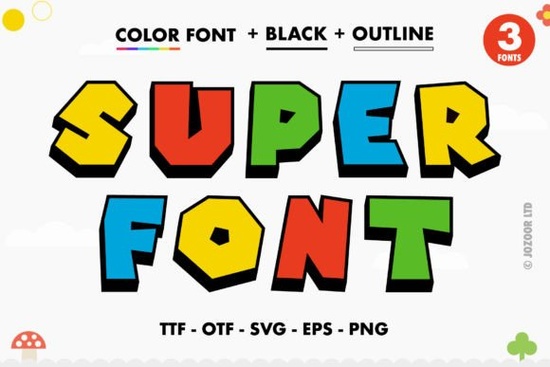
If you work with bold, playful typography, Super Font might be exactly what you need. It's a color font technically called an OpenType-SVG font which means the letters come with their own built-in colors, textures, and fun details. No need to manually add gradients or patterns after typing. The thick lettering and cheerful color scheme make it a great fit for projects that need to grab attention fast. And since it's PUA encoded, accessing all those extra swashes and glyphs is straightforward, even if you're not a typography expert.
What makes Super Font different from a standard font?
Most fonts you download are single-color outlines. You type a letter, and it appears in whatever color you set in your design software. Super Font works differently. Each letter carries its own color information think of it like a tiny built-in illustration for every character. The thick lettering gives it a chunky, confident look, while the color treatment adds personality without extra work on your end.
This is especially helpful if you're designing for:
- Print-on-demand products like t-shirts, mugs, or tote bags where bold visuals matter
- Social media graphics that need to stop the scroll
- Kids' party invitations or event flyers where fun and energy are the goal
- Packaging or labels for small-batch products that want a handmade feel
Because the color is embedded in the font itself, you can type out a word and get a fully styled result instantly. That saves time and keeps your workflow simple.
Which design tools actually work with color fonts?
Not every program handles OpenType-SVG fonts the same way, so this matters. Super Font is compatible with PhotoShop, Illustrator, Silhouette Studio, and Inkscape. If you use any of those, you should be able to install it and see the full color effect right away.
One thing to keep in mind: the standard OTF and TTF versions of this font are not compatible with Cricut Design Space. Cricut's software doesn't support OpenType-SVG color fonts at this time. If you're a Cricut user, you'd need to work around this by creating your text in a compatible program like PhotoShop or Inkscape, exporting it as an image or SVG, and then uploading that to Design Space. For Silhouette users, the experience is smoother since the software supports color fonts natively.
If you're unsure how to install or use this type of font, the Super Font listing on Creative Fabrica includes a link to the Ultimate Font Guide, which walks through the setup process step by step.
How do I access the swashes and extra glyphs?
The PUA encoding is what makes this easy. PUA stands for Private Use Area it's a standard that lets font designers assign extra characters (like swashes, alternates, or decorative tails) to keys you can actually type. Instead of having to memorize weird codes or dig through advanced panels, you can use the Character Map on Windows, the Font Book on Mac, or the Glyphs panel inside programs like Illustrator and PhotoShop to browse and insert them.
For Super Font, those extra glyphs might include:
- Decorative swashes that extend from the letters
- Alternate versions of certain characters
- Fun flourishes that add motion or playfulness
Having access to these extras means you can customize a word or phrase so it doesn't look like a simple typed line. A little swash here or an alternate letter there can make a big difference in the final design.
What kind of projects is Super Font actually good for?
Because the lettering is thick and the colors are lively, this font works best in situations where you want the text to be the main visual element. Here are a few realistic uses:
- Posters and flyers for events, sales, or community announcements
- Kids' book covers or educational materials where a friendly look helps
- Logo lettering for brands that want a casual, creative vibe
- Drink or menu boards for cafes, bakeries, or temporary pop-ups
- Print-on-demand apparel think bold quotes on t-shirts or hoodies
It's also worth testing Super Font on short phrases rather than long paragraphs. Thick color fonts tend to shine when used sparingly a single word or a short line can feel punchy and intentional, while longer sentences can get visually heavy.
What should I check before downloading?
Before you add Super Font to your collection, here are a few things to verify:
- Your software version make sure your design program supports OpenType-SVG fonts. Most recent versions of PhotoShop, Illustrator, and Inkscape do, but older versions might not.
- Your project's output format if you're sending files to a printer or manufacturer, confirm they can handle color font rendering. Rasterizing the text to a high-res PNG or exporting as an SVG is often the safest route.
- Cricut compatibility as mentioned, this font won't work directly in Cricut Design Space. Plan accordingly if that's your main tool.
- Licensing Creative Fabrica fonts typically come with a commercial license, but double-check the terms if you're planning to use it for products you sell.
A practical checklist before you start your first project
- Download the font and install it on your computer (OTF or TTF for standard use, but remember the color features need a compatible program).
- Open your design software and type a sample word to see the color font in action.
- Browse the swashes and alternate glyphs using the Glyphs panel or Character Map to see what extras are available.
- Test the font at different sizes thick color fonts often look best at larger sizes where the details are clearly visible.
- Export a test file to the format you'll use (PNG, SVG, PDF) and check that the colors and letters render correctly.
- Start your project with a short phrase or single word, and add swashes or alternates to give it a custom feel.
If you're curious to see how Super Font looks in action, head over to the Creative Fabrica listing where you can preview the full character set and see examples from other designers.
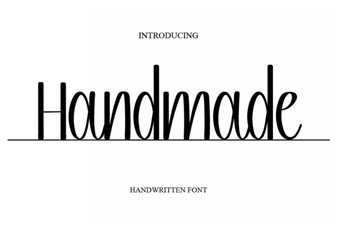 Crafting Creativity with Unique Handmade Fonts
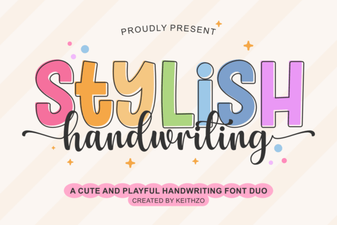 Creative Fonts for Stylish Handwriting Projects
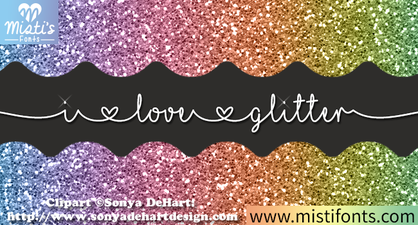 Spark Your Creativity: Using Glitter Font Designs
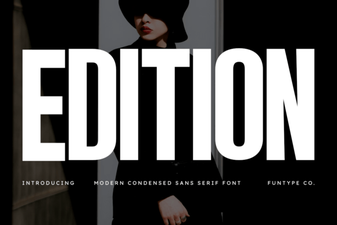 Edition Fonts: Design & Typography Projects
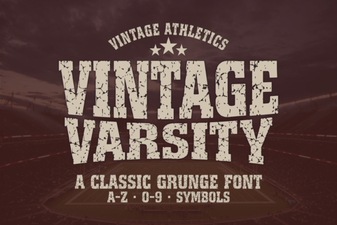 Designing with Vintage Varsity Font Styles
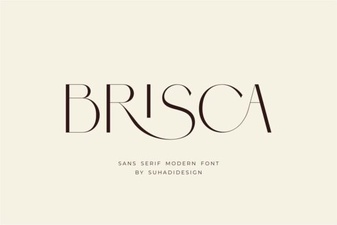 Brisca Font: Creative Typography for Design Projects